Using the excellent formRanger script by +Andrew Stillman , I was looking to create a form that dynamically changed the list based upon user selection - the idea being that once an item was chosen, it would be taken from the list.
The formRanger script allows a user to provide a list of options for a multiple choice question from a spreadsheet. The power of this is that it allows a multiple-choice option to be easily edited. The tutorial can be seen below and explains this a lot better than I can.

However, what it doesn't do automatically (unless I am wrong) is allow you to dynamically change that list (although my version is similar to a tutorial here). I wanted a form that can remove items that a user has chosen - in my example case, removing superheroes from a possible list of choices when someone has already selected it.
I created 3 sheets on my 'superhero' spreadsheet:
- The responses (from the completed form)
- A chosen superhero page (to flag up if a superhero was chosen)
- A page to display the remaining courses available (looking at the ones not yet flagged)
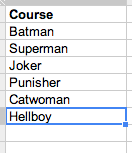 |
| OK, so Joker isn't a superhero. |
The next step was to work out how to get the spreadsheet to calculate if an option was chosen. My untidy 'hack' was to simply use a countif as a flag (perhaps a rather inefficient means, but it worked for me):
 |
| Formula checks if the sign-up list from the sheet FormResponses has been completed using countif |
 |
| Batman is chosen by the user |
 |
| countif flags the choice |
 |
| The filter only moves the non-flagged items onto the new sheet |
I then configured the formRanger script to run on submit, on change and every 5 minutes (to be on the safe side!) and set the assigned column to the amended list on the final sheet.
Once the script is run, after about 6 seconds (not sure if I can amend this time delay), the form is reloaded and Batman is no longer available to choose:

Finally, here's a quick video that hopefully explains it in a little more detail.


